Stress-strain plots are commonly used as tools to determine the global stiffness response of a structure. They are particularly useful for progressive failure analyses as they offer a simple way to determine how the structure behaves as failure initiates and progresses. To generate a stress-strain plot, data must be extracted from the output file.
As discussed in the Export to FEA and Run the Analysis step, we have provided a set of post-processing commands that automatically extracts the load-displacement response from the results file. To take this data and create a stress-strain plot:
- Open the file coupon_ame_output.txt. This text file contains the displacements at each end of the gage section of the coupon and the reaction force measured from the load node.
- Copy and paste the data from this text file into a spreadsheet.
- Calculate the strain in the coupon by creating a new column of data that subtracts
U2Bottom from
U2Top and divides by the gage length of the coupon (57 mm).
strain = (U2Top - U2Bottom) / 57
- Calculate the stress in the coupon by creating a new column of data that divides
RF2 by the cross sectional area of the coupon (39 mm^2).
stress = RF2 / 39
- Plot the stress-strain curve and compare with the experimental stress-strain data for the Extron 3019 HS material at 0 degrees.

We can see a very good agreement between the experimental data at zero degrees and the outputs from Advanced Material Exchange. Keep in mind, Advanced Material Exchange uses a stress-based failure criterion, so the fact that we get a very similar ultimate stress for each curve gives us confidence that the tool can be used reliably going forward.
45 and 90 Degree Curves
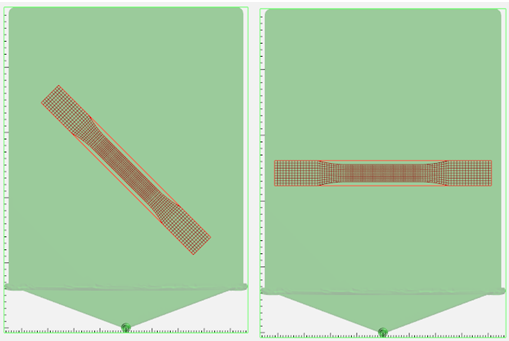
We can now repeat the Advanced Material Exchange steps outlined in this tutorial, rotating the coupon by 45 and 90 degrees about the z-axis with the Interactive Alignment tool, to compare with the experimental data at those respective angles.


Advanced Material Exchange does a good job of capturing the ultimate strength and the plasticity response for both the 45 and 90 degree curves.