After you install PowerMill, you need to register the Tool Database Server. PowerMill displays a PowerMill Error the first time after installation, when you:
- Display the Tool Database Search dialog.
- Display the Tool Database Holder Search dialog.
- Attempt to change the path of a tool database.
To register the tool database server in Windows 7:
- From the Start menu, navigate to Start > All Programs > Autodesk PowerMill2019.1 > Register Tool Database Server.
- Right-click Register Tool Database Server.
- Select Run as administrator.
If a User Account Warning is displayed, click Yes.
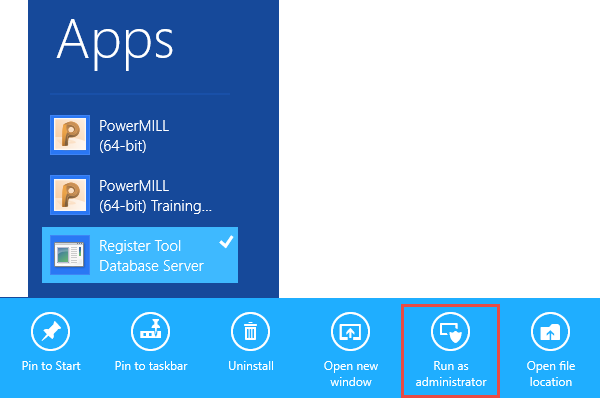
To register the Tool Database Server in Windows 8:
- Select Apps.
- Navigate to the latest version of PowerMill.
- Select Register Tool Database Server.
- Select Run as administrator.
If a User Account Warning is displayed, click Yes.