There are four shading models for Shaders. A shading model is a representation of how light bounces when it hits a surface. Different models simulate different types of materials better.
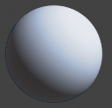 |
Lambert Good for matte materials (chalk, matte paint, unpolished surfaces). |
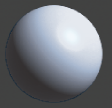 |
Blinn A versatile shader that can simulate glossy and dull metallic materials (brass, aluminum). |
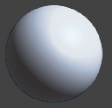 |
Phong Good for glassy or glossy materials (plastic, glass, chrome). |
 |
Lightsource This shader has no shading. Good for representing incandescent or fluorescent objects (TV screen, light bulb). |
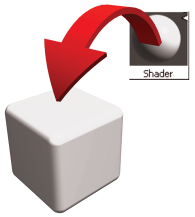 |
Shaders can be dragged onto geometry from the Control Panel with the middle mouse button, or assigned to the selected objects from the Multi-lister or Control Panel. |