In ICEM, you have a moving frame, which is used to specify a from and to location when moving objects. Although you can have many stored planes, only one can be used as the moving frame at a time, and it is used globally for any object that needs to be moved or rotated.
Alias works differently. Instead of one general location, each object (surface or curve) has its own individual Pivot Point, which is displayed as a green point when the object is selected. This pivot point defines the starting location used when transforming the object, and must be positioned correctly before choosing a transform tool.
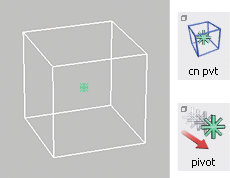
The location of the Pivot Point is set using the Transform LocalSet Pivot and TransformLocalCenter Pivot tools, usually with the snapping tools for accuracy.
When using TransformMove, the pivot point is the from location, so you need to make sure it is in the right location before you move the object.
With TransformRotate the pivot point is the center of rotation. The axis and amount of rotation is determined by either the choice of mouse button (x,y,z) or by typing x,y,z angle values to the prompt line.