If the Continuity Check option in the Align tool is selected, maximum values of discontinuity are shown on the geometry at the aligned edge.
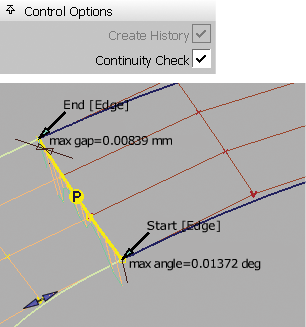
Yellow (selected) or red (unselected) indicates that the continuity achieved is not within the tolerances set in the Construction Options, and the values are displayed.
Green indicates that the continuity is achieved.