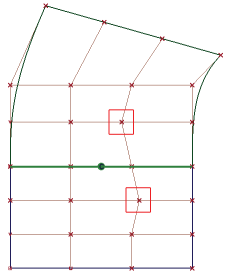
When CVs are selected and moved on the master surface, CVs on the input surface automatically update to maintain continuity.
When CVs are selected and moved on the input surface, they can only be moved to legal positions, where the continuity will be maintained. CVs moved to illegal positions will jump back to a correct position when you release the mouse button.
To delete the construction history use Delete Construction History. The surface reverts to dark blue and the CVs can be moved independently.