When you launch Alias for the very first time, you are prompted to create a user_data folder. This folder is created in My Documents\Autodesk\Alias (Windows) or Documents/Autodesk/Alias (Mac).
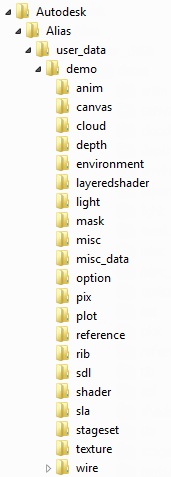
The user_data folder contains your project folders, required by Alias. By default, Alias creates a project called Demo for you to use. A project contains many folders, the most important ones being the wire folder (where your actual file is saved) and the pix folder (the default location where images are saved).
Workflow Setting
 |
 |
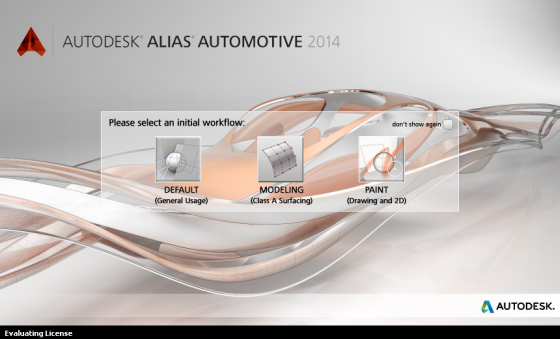
If you run an Alias product that includes both modeling and painting features, this window opens. Selecting Default opens Alias in an environment suitable for modeling and sketching. Selecting Modeling opens Alias in an environment suitable for Class A Surfacing. Selecting Paint opens Alias in an environment developed for 2D sketching.