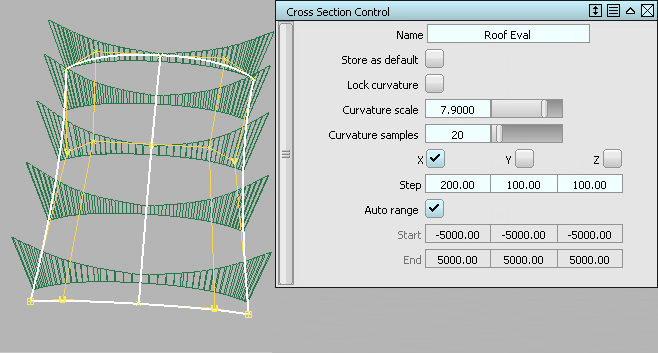
Use Windows EditorsCross Section Editor to create and edit various kinds of cross sections on your geometry.
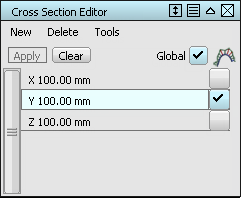
The pre-set x, y and z sections can be applied to selected geometry, and modified by double-clicking to open the option window. Click on the curvature checkbox to display a curvature plot along the sections, which automatically updates as you model.
Use New to create additional section groups, and Clear to control the display of the sections. Turn on Global to apply the Selected Section groups to all visible geometry.