Alias offers animation tools to present products in the form of movie files. These can go from turntable presentations, to more advanced functional presentation, exploded view, camera flies, etc.
All Alias animation tools are located under the Animation menu.
One commonly used type of animation is called keyframe animation. Object transforms are set at a certain point in time and recorded, then at another, etc. and the application interpolates between the transforms to build the animation.
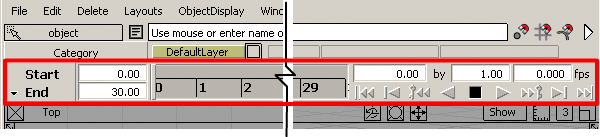
Before animating, display the Time Slider (Animation ShowToggle Time Slider):
This example shows the basic principles of keyframe animation to open a box.
Real-time turntable animations can be created using AnimationTurntable.
QuickTime VR files can be created using RenderRender to QuickTime VR: create walk-around scenes, rotisserie, or turntable mode files by setting a few options. Alias gives you the ability to output movies in many different formats.
For more information on animating in Alias, go to the online Help section, How toAnimate.