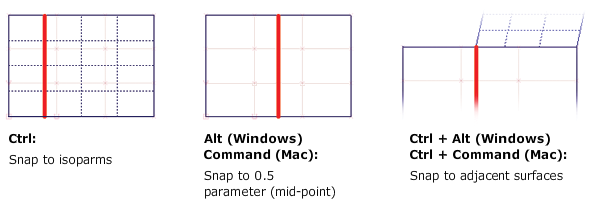
Splitting a surface at an isoparm doesn't require the use of CoS. Use Object Edit AttachDetach, click on an edge or existing isoparm, and position the locator where you want to split the surface. Extra isoparms (iso-curves) can be shown using the Object EditPatch Precision tool. Use the Alt (Windows) or Command (Mac) and Ctrl keys to snap the locator exactly on isoparms and mid-points.