Construction history is the saved information about how an object was created. For almost every tool, Alias gives you the option of saving that construction history. You can later edit the curves, surfaces, manipulators, tool options, and so on, that were used to create an object, and the object automatically updates.
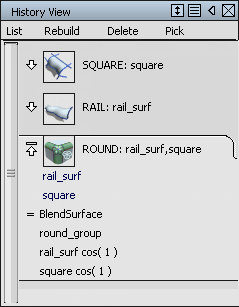
Click the  icon in the menu bar to open the History View window. History View can be used to view, reinvoke, select, suspend, and delete history.
Using Object Edit  Query Edit (also available from the Marking Menus), you can quickly edit curves or surfaces with history. Simply click the target object and you are automatically returned back to the tool that created the history.