In ICEM, option windows appear automatically when a tool is selected, and stay on screen as long as the tool is being used.
In Alias you need to specifically open the option window by either double-clicking on an icon, or moving the mouse to the square symbol ( ) on a menu.
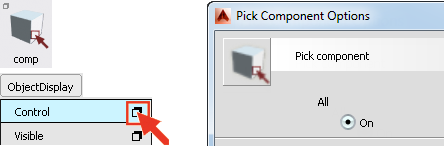
A short-cut for both is to hold the Shift key down when selecting the tool.