Alias is, simply put, a creative design tool. Unlike most 3D applications, its unique capabilities address a broad range of needs specific to design professionals. Here are a number of applications that you will find Alias very well suited for...
Ideation Sketch and illustrate (paint functionality not available in all products).
Overlay Drawings Sketch over existing 3D data (paint functionality not available in all products).
Concept Modeling and Rendering Create iterative concepts to study form and color (rendering is not available in all products).
Digital to Physical Modeling Workflow Work with scanned data of physical models and output models for rapid prototyping.
Production Modeling Create geometry for manufacture.
Design Communication Teams with technical modelers and designers can communicate with each other by annotating and drawing on the same working files.
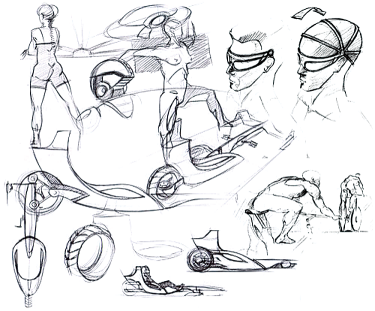
Image courtesy of Mike Jelinek, Autodesk.
.Sketching is an integral part of design. Not only does Alias offer a full feature paint workflow, it provides a single environment from which 2D drawings flow into the 3D process.
Design Presentations Using Alias Annotate over live data and dynamically modify 2D images or 3D geometry during your design critique.
Animation Create design animations to communicate use-cycles, turntable animations, fly-by sequences, or animated exploded views (not available in all products).
Output Images Create high quality print images for sales and marketing collateral (not available in all products).
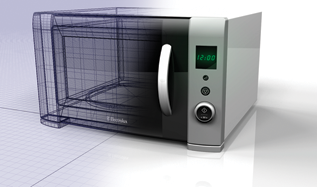
Image courtesy of Alexander Barros Neves, Duncan McCall.
.
Whether a designer or a modeler is creating iterative concept models or Class-A technical surfaces, Alias provides the tools to capture complex form and to visualize it.