Many people prefer to learn by experimenting, rather than reading reference manuals. The Alias tools are well designed, and often you will be able to use them just by trying them out. The key is to always read the Prompt Line, where a tool will guide you through the steps and selections you need to make.
Unlike ICEM, the Prompt Line is at the top of the Alias screen. This location cannot be modified or customized.
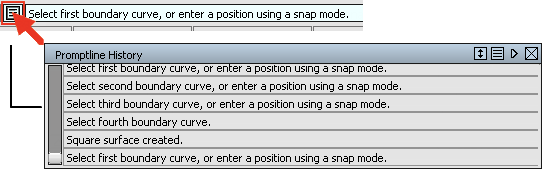
To view previous prompt messages, you can open the Prompt Line History by clicking on the text symbol to the left of the prompt line. This can help you understand why a tool has failed, or to review the input sequence required for a tool.
The prompt line always requests the type of input a tool needs, for example a curve, or a vector. This is used instead of the selection window workflow in ICEM.