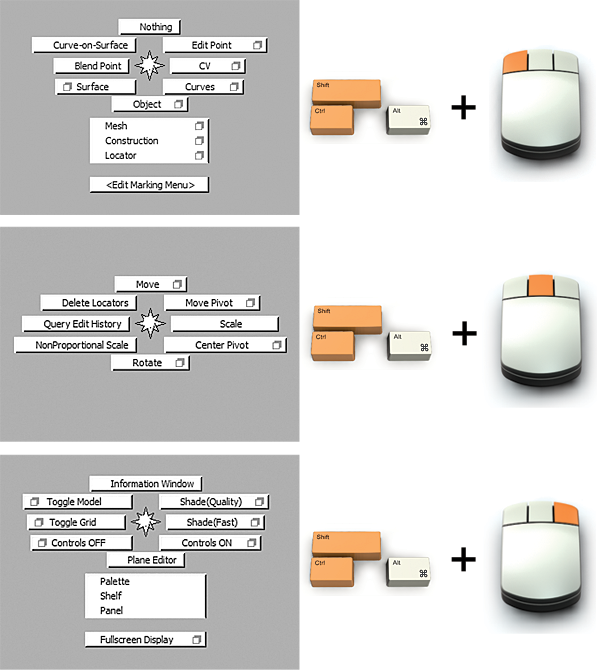
Marking menus™ appear when you hold the Shift and Ctrl (Windows) or Shift and Control (Mac) keys plus one of the mouse buttons. Once you know the positions of the primary tools, you can activate a selected tool by gesturing in its direction (with the mouse button pressed) before the marking menu even appears. Marking menus provide the fastest method for choosing tools.
Look below for the default tool setting for each corresponding mouse button