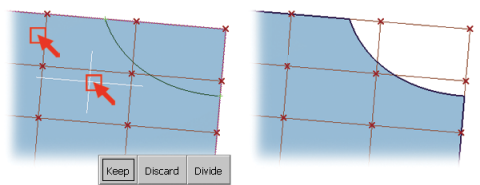
By default, the trim tool only works on surfaces that have one or more CoS. You are prompted to select the surface twice: first to choose the surface, and then to select the region(s) of the surface you want to keep.
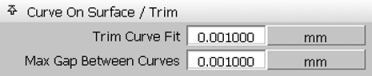
There are no tolerances displayed during the trim operation; instead, the tool uses the settings in the Trim section of Preferences Construction Tolerances. You will typically tighten these tolerances as shown. Tolerances are described in more detail in the next chapter.
Open the Untrim option window to choose untrimming step-by-step for multiple trims, or all trims at once. Don't forget to pick and delete the old curve-on-surface if you no longer need it.