Link
Link
Use links to connect two sequential or non-sequential points with a straight line.
Properties
Specify the following parameters in the Properties panel.
| Link | |
| Link Number | Specifies the link number. You can change the automatically generated Link Number value. |
| Link Codes | Specifies the codes assigned to the link |
| Position | |
| Start Point | Specifies the point from which the link starts. |
| End Point | Specifies the point at which the link ends. |
| Miscellaneous | |
| Comment | Indicates notes about the link. Comments can be displayed in the Preview panel. |
Examples
To see an example of how this geometry element is used, open the following Sample PKT file:
Link Example.pkt
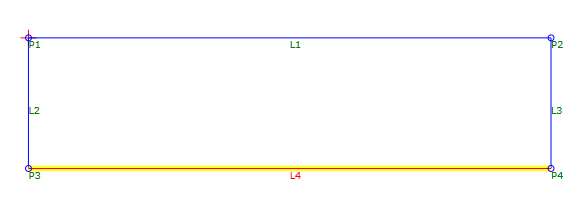
In the example, the L1, L2, and L3 are automatically drawn between points. L4 is manually drawn between P3 and P4.
Note: In this example, because the links create a closed area, a shape can be created.