Synopsis
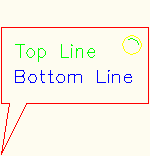
Inserts an AutoCAD Block reference into the current drawing. This Design can be used 3 different ways. The behavior is a function of whether a block definition with the name blockName already exists in the current drawing. The following process is used:
- If blockName exists in the current drawing, it is used, and the sourceName and libraryFile parameters are ignored.
- If blockName does not exist, the libraryFile, which must be an AutoCAD DWG file, is inspected. If it contains a block named sourceName, then that block is loaded into the current drawing and renamed blockName (so subsequent Inserts will find it in step 1).
- If sourceName cannot be found in libraryFile, the entire (Model Space) contents of libraryFile are loaded into the current drawing as the definition of blockName.
Note: If the block name desired is not a legal Name in Intent, override the blockNameString rule to supply it. The internal call to AutoCAD only refers to blockNameString.
Mixins
| Name | Type | Description |
|---|---|---|
| blockName | name | The name of the AutoCAD block definition. |
Parameters
| Name | Type | Description |
|---|---|---|
| libraryFile | string | Full pathname to the drawing containing the referenced block. |
| sourceName | string | The name of the block to copy from libraryFile. |
| scale | number | Sets the scale of the insert. Default is 1.0. |
| xScale | number | Scale of the insert in the X-direction. Default is scale. |
| yScale | number | Scale of the insert in the Y-direction. Default is scale. |
| zScale | number | Scale of the insert in the Z-direction. Default is scale. |
| BlockAttributes | list | list of attribute names and values, in the format of {"att_tag 1", <value_1>, "att_tag 2", <value_2>, ... }; default is {} |
| reload? | boolean | Unused as of Intent 2011 Update 2. |
| ignorePresets? | boolean | default is False |
| dynamicProperties | list | For dynamic block support, expects a list with values for dynamic properties on the format { "property 1", <value_1>, "property 2", <value_2>, ... } |
Rules
| Name | Type | Description |
|---|---|---|
| blockNameString | string | Makes a string from the blockName. |
| explodedHandles | list | Returns a list of handles from the insert. |
Methods
getBlockAttribute( tag as String, Optional inDefinition? as Boolean = False ) As String
getBlockAttributePoint( tag as String, Optional value as Any = NoValue, Optional inDefinition? as Boolean = False ) As BooleanTakes a string which is the attribute tag. The optional argument inDefinition? controls whether you want the location of the attribute with respect to the block definition itself, or with respect to the current model. The default is the latter.
hasBlockAttribute?( tag as String, Optional inDefinition? as Boolean = False ) As Boolean
Example 1
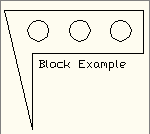
| Name: | Insert_Ex01 |
| Design: | acDrawingDocument |
| Child Name: | myInsert | |
| Child Design: | :Insert | |
| Name | Type | Supplied |
| blockName | name | ablk2iks_Ex01 |
| libraryFile | string | LibraryLocation(designLibrary(Me.designName)) + " \ablk2iks_Ex01.dwg " |
Example 2
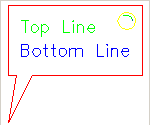
| Name: | Insert_Ex02 |
| Design: | acDrawingDocument |
| Child Name: | myInsert | |
| Child Design: | :Insert | |
| Name | Type | Supplied |
| blockName | name | ablk2iks_Ex02 |
| libraryFile | string | LibraryLocation(designLibrary(Me.designName)) + " \ablk2iks_Ex02.dwg " |
Example 3
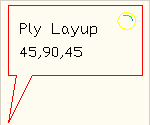
| Name: | Insert_Ex03 |
| Design: | acDrawingDocument |
| Child Name: | myInsert | |
| Child Design: | :Insert | |
| Name | Type | Supplied |
| blockName | name | ablk2iks_Ex03 |
| libraryFile | string | LibraryLocation(designLibrary(Me.designName)) + " \ablk2iks_Ex03.dwg " |
| blockAttributes | list | {"topLine", "Ply Layup", "bottomLine", "45,90,45"} |