Synopsis
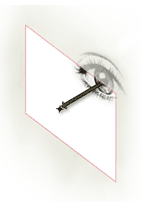
A viewport is a rectangular region - a window - through which to view the model. This viewport requires a View to define the direction from which the model is being viewed. A list of Parts, defined by the parameter viewParts, can be used to control what is displayed in the viewport. The default is the entire model.
Parameters
| Name | Type | Description |
|---|---|---|
| View | any | Required. View for the Viewport to display. Can be a name, string, or part. |
| visualStyle | string | Visual style for this viewport. Choices are: "2dwireframe", "3dwireframe", "3dhidden", "conceptual", "realistic". Default is "2dwireframe". |
| autoFit? | boolean | If True, will auto-fit the view. Default is False. |
| scale | number | Scale for the viewport. A zero or negative value means the view camera field settings are to be used. Default is 1. |
| showBorder? | boolean | If True, the outline of the viewport rectangle is drawn. Default is False. |
| viewParts | list | Model parts to be included in the view. Default is {root}. |
| lights? | boolean | If True, lighting is enabled. Default is True. |
| lights | any | List of lights that are active in the viewport. |
| ambientLightLevel | number | Level of ambient light. 1.0 is brightest, 0.0 is none. A negative value will use the default setting. Default is -1. |
| viewLight? | boolean | If True, provides a light that shines on the scene from (near) the viewVector. Default is True. |
| viewLightVector | vector | Direction the ViewLight is coming from when used (slightly left of center). |
| shadows? | boolean | If True, then shadows are on in the viewport. Default is False. |
Methods
lengthInViewport( length As Number ) As NumberScales a length in model space to the layout space equivalent for this Viewport.
lengthInModelSpace( length As Number ) As NumberScales a length in layout space in this Viewport to model space.
locationInViewport( p As Point ) As PointTransforms a point into a paper space location with respect to the Viewport's origin.