此版本引入新功能和增强功能,可改善 Autodesk 产品之间的互操作性、扩展模拟功能范围、提高求解精度以及缩短求解时间。
Simulation 作业管理器
- 监视在云中运行的模拟的状态。
- 停止正在运行的模拟。
- 在后台运行模拟作业并下载结果,即使产品不是在本地运行也是如此。
- 从主功能区,
- 从 Windows® 的“开始”菜单,单击
- 从“通知”区域中,单击“Autodesk Simulation 作业管理器”图标
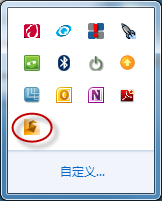
Autodesk Application Manager
Autodesk Application Manager 是一种桌面工具,可以及时提供有关新的 Service Pack 及其他重要文件的信息(如果可用),帮助您始终获得所安装 Autodesk 应用程序的最新更新。在 Application Manager 中可以获取有关每项下载内容的更多信息。当您决定应用更新时,Application Manager 可从云端无缝地下载文件,并将其安装在您的计算机上。
Application Manager 将替换早期版本的实时更新传送系统。它包含在安装程序中,当 Autodesk 产品安装完成时,它将被选中用于自动安装,然后在启动产品时自动启动。可以通过单击右下角通知区域系统托盘中的 Application Manager 图标打开 Application Manager。
Autodesk Simulation Moldflow Communicator 兼容性
请使用 Autodesk Simulation Moldflow Communicator 2015 查看从 Autodesk Simulation Moldflow Insight 360 导出的 Moldflow 结果文件 (*.mfr)。
Autodesk Simulation Moldflow Communicator 结果查看器包含在安装程序中,当安装 Autodesk Simulation Moldflow Adviser、Autodesk Simulation Moldflow Synergy - 用户界面 或 Autodesk Simulation Moldflow Insight 360 时,将默认选择安装该查看器。也可以单独下载。
支持已停止使用的 Word 2007 和 PowerPoint 2007
当运行“报告生成向导”时,您可以使用我们提供的一个选项将报告保存为 HTML 格式、Word 和 PowerPoint 格式。如果选择 Word 或 PowerPoint 格式,请确保在计算机上安装的版本高于 Word 2007 或 PowerPoint 2007 版本,因为 Word 2007 或 PowerPoint 2007 版本不受支持,因此将导致错误消息。