On the Options tab of the Definition/modification of a table style dialog, you can further define the format of a table.
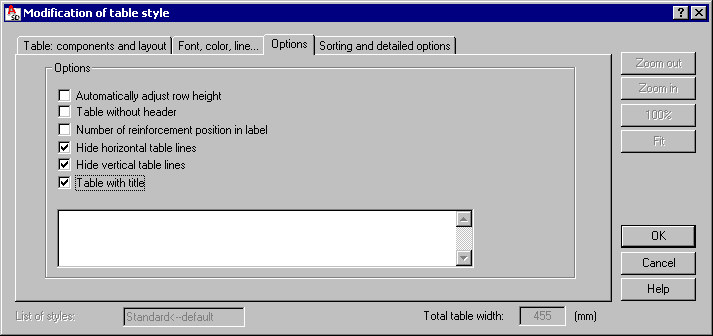
Define options:
- Automatically adjust row height - if you select this, the height of table rows will be automatically adjusted to the size of element shape symbols
- Table without header - if you select this, there will be no header in the table
- Number of reinforcement position in label - if you select this, a position number in a table will be presented in a round label
- Hide horizontal table lines - if you select this, horizontal lines will not be displayed in the table
- Hide vertical table lines - if you select this, vertical lines will not be displayed in the table
- Table with title - if you select this, the edit field in the lower part of the dialog becomes available, and a table title may be typed there. Use the Font, color, line tab to specify the font used in the table title.