The definition of distribution varying linearly of transversal reinforcement for a tapered beam is displayed below. For such reinforcement distribution a detailed table is prepared.
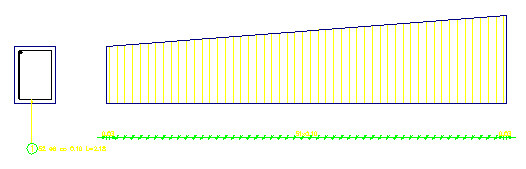
To obtain reinforcement distribution shown in the drawing, you should:
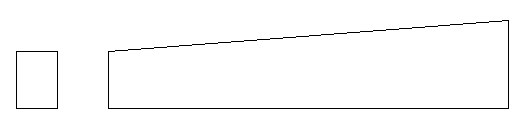
- Define transversal and longitudinal beam section (as in the figure below) using the options available in AutoCAD (rectangle, line)
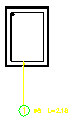
- Define transversal reinforcement in the beam cross section as follows :
- Click
 (Reinforcement – cross-section).
 - In the dialog, click
 , and click
  (Diagonal).
 - Indicate the top left and bottom right corners of the rectangle designating the cross section.
- In the Reinforcement description dialog, click OK (acceptance of the default description).
- Select the description position in the drawing (see the figure below)
- Click
 (Reinforcement distribution) (the definition of reinforcement distribution begins; varying linearly).
 - Indicate the stirrup (defined earlier) and click ENTER; the Reinforcement detailing dialog opens; the following options are selected in the dialog:
- Distribution TYPE: varying linearly (press the
 icon)
icon) - Distribution METHOD: zone (press the
 icon)
icon) - Viewing DIRECTION: press the
 icon
icon - Click OK.
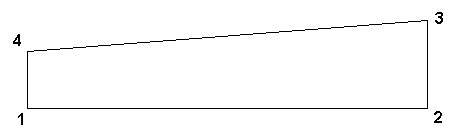
- Determine successive reinforcement segments (in this case, these are vertical legs of the stirrup) whose length changes in the course of distribution - see the figure underneath.
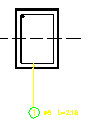
- Select the beginning point and successive points within which the varying distribution is to be contained; indicate one by one the points: 1, 2, 3, 4 and finally indicate 1 again; click ENTER.
- Determine the direction of distribution; click ENTER.
- Select the beginning and end of the zone (begining and end of the beam, if the distribution concerns the whole beam); click ENTER.
- Click OK in the Reinforcement detailing and the Reinforcement description dialogs – default values will be adopted.
- Indicate the position of reinforcement description and click ENTER (see the figure below).
To create a detailed table for the reinforcement distribution (varying linearly) as defined above:
- Click
 (Bars - Detailed table).
 - Indicate the generated reinforcement distribution (varying linearly).
- Select the location of the detailed table.