On the Vertical definition tab of the Prefabricated element: definition dialog, you can specify the location of a prefabricated element with respect to the active story.
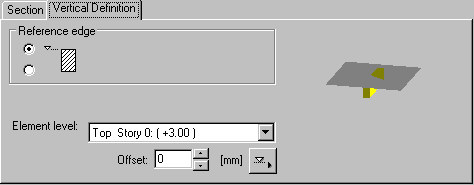
The Element level list includes all the defined levels of the active story of a building. Define the location of a prefabricated element in a building by selecting a plane (for example, Top - Story 2, Bottom - Story 2). This list also contains all inclined planes defined for a selected story (see: Definition of a plane).
In addition, you can define the reference edge of the element with respect to the upper or lower level of a story:
|
Reference edge |
Location of a prefabricated element (beam) with respect to the story leve |
|
1. |

|
|
2. |

|


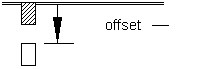
When defining the vertical location of a prefabricated element, you can define an offset from the lower or upper level of a story. If the offset equals 0, the definition line coincides with the upper or lower plane of a story. Click  to select a horizontal element edge that determines an offset value.
A sign convention for offset values has been adopted for both the lower and upper levels of a story:
- Positive offset value
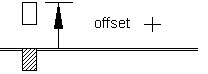
- Negative offset value