This tab enables copying settings (styles) between user's projects.
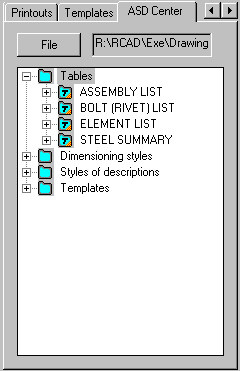
After clicking File and selecting a file with an earlier-saved project, the Inspector dialog displays all the styles defined in the selected project, which may be used in the current project.
After highlighting a selected style, right-click the Copy command; the selected style is available in the current project.