- On the ribbon, click
 (Building Grid).
 - Home
 Objects
(Building grid)
Objects
(Building grid) - Objects Grid
(Building grid)
- Home
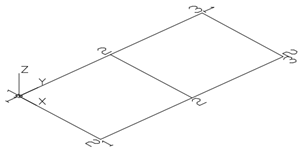
- Type 0,0,0 on the command line to set the first point in the origin.
- Enter 16'-5", 34'-0" to set the second point.
Next, modify the axes number in each group.
- Select the X-axis group.
- Right click and select Advance Properties from the context menu. The Axes Parallel dialog appears in which all grid modifications are made.
To modify the number of axes:
- Click the Group tab.
- Set the Number to 3. Note that the distance value is automatically calculated. The new value should be 17'.
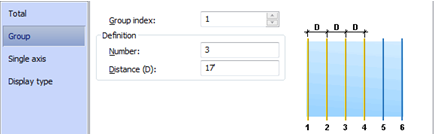
The model changes dynamically as values are entered or new values are selected, providing instant visual feedback.
Repeat the same steps for the axes in the Y-direction, with the Group set to 2.