- On the ribbon, click
 (Split plates by 2 points).
 - Home
 Objects
(Split plates by 2 points)
Objects
(Split plates by 2 points) - Objects Plates
(Split plates by 2 points)
- Home
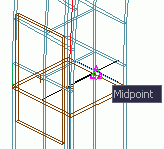
- Select the midpoint of the plate edge.
-
Select the midpoint of the opposite edge.
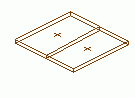
The plate is split.