Several software packages specialise in drawing structural steel buildings, such as XSteel, StruCAD, AutoCAD-Bolt-On's, and so on. By-products of the design process are lists of steel parts that contain data for automatic processing. These can then be imported directly into CAM-Duct or Profile Master.
For example;
- Girders: Material, Size, Lengths, Hole positions.
- Fastening: Plates: thickness, Hole sizes and positions.
- Brackets: Material, Size, Position
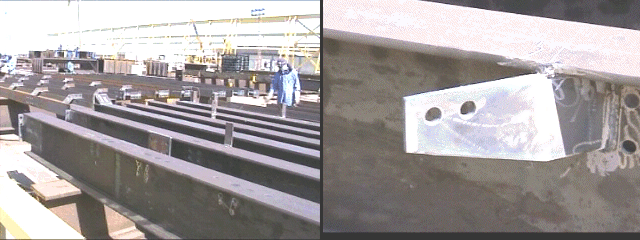
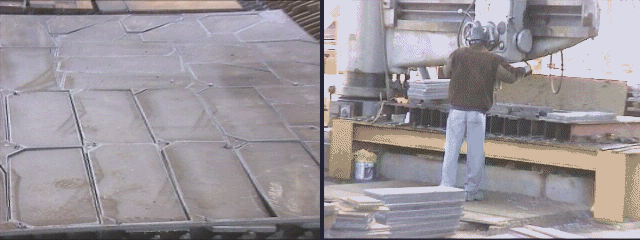
Various file formats are used to output the data, for example DSTV, DXF, ASCII text files, etc can be used. Special filters can automatically process the fastening plates in any of these formats. The example shown here includes parts produced by XSteel in the DSTV Format.
Fastening Plates
These are used to join together various configurations of steel girders. The plates are constructed from steel in the range 2-25mm thick. The thinner, rectangular plates can be sheared from flat stock sheets and then the bolt holes are punched or drilled. The thicker plates are often cut on a profiling machine using laser, oxy-fuel or plasma. The hole positions can be cut or centre marked dependent on the accuracy and tools available on the profiling machine.
Main Features
-
Import 500+ Fastening Plates fully automatically.
-
Sort the Parts in Material, Thickness, Quantity, Profile Cut/Shear.
-
Auto Nest all the Plates to be Profile Cut using Multi-Torch or Single Torch Nesting.
-
Produce the NC Data for most types of profiling Machine-Controller-Tool combinations.
-
Download the NC Files to the Machine Controller.
-
Produce Shear Cutting Lists.
-
Drill-Punch Reports.
-
Material Usage Reports and other Management Information.
How to create an Installed Filter
The DSTV format includes part geometry, hole sizes and positions, part numbers, material, thickness and quantity.
- Click File > Setup > Installed Filters, and click New and the Filter dialogue box will appear.
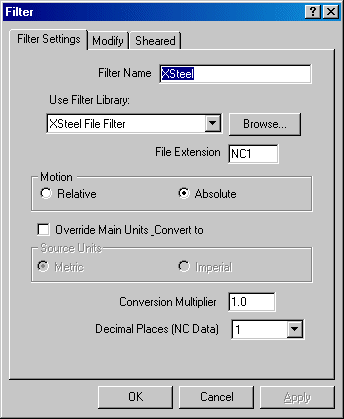
- In the Filter Name field, enter the name of the filter. In this case Xsteel.
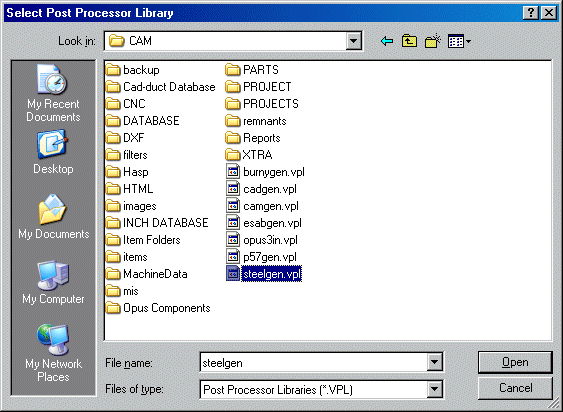
- To select the filter that will appear in the Use Filter Library field, click Browse. The default installation folder will appear, select the steelgen.vpl file and click Open.
- The File Extension field will now be shown as NC1. This is the file extension created by the XSteel software.
-
Click OK
The filter will then be available. It is also possible to configure the filter to shear certain materials and thicknesses.
- Click File > Setup > Installed Filters and the following dialogue box will appear.
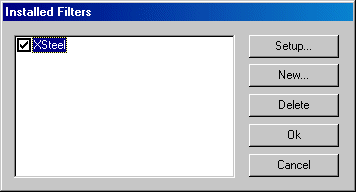
- Highlight the relevant filter and click Setup, then select the Sheared tab.

This allows the user to select which material will be sheared rather than profiled.
- From the material list in the left hand window, click on the relevant material and click on the 'right pointing' arrow. This places the selected material in the right hand pane. All of the materials that appear in this window will be sheared.
- Click Ok when all of the materials to be sheared have been selected. Note: Only parts that are rectangular will be sheared.
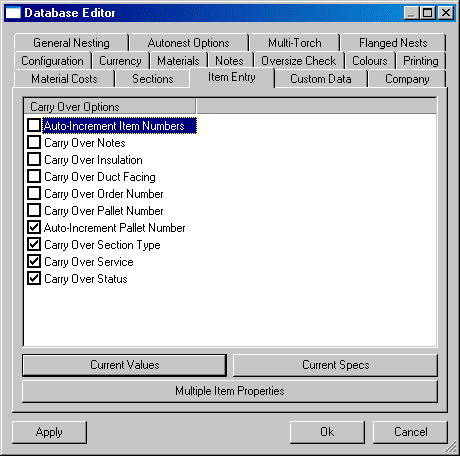
It is also necessary to ensure the Auto -Increment Item Numbers option is disabled. This will allow the imported parts to come in with heir own item numbers.
- Click File > Setup > Main Database > Item Entry and ensure that the Auto-Increment Item Numbers option is disabled.
Importing DSTV Files (Fastening Plates)
Once the filter has been set up it is then possible to import the relevant files,
- Click File > Import > Items.
- In the of Type: field, from the drop down menu select XSteel filter (*.NC1).
- Use the Look In field to find the required folder of *.NC1 Files (Fastening Plates) produced from an approved XSteel drawing.
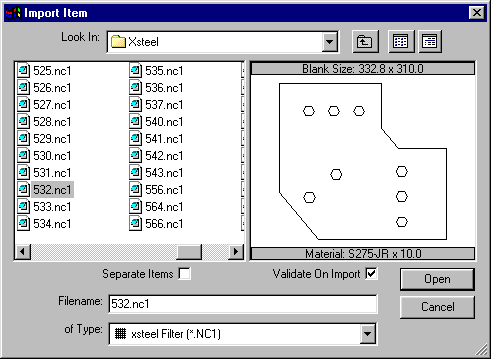
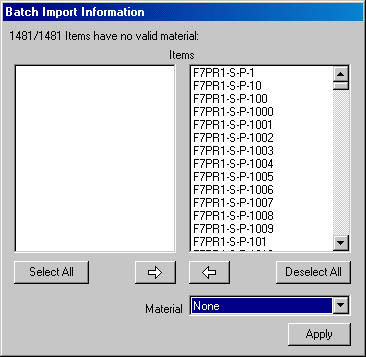
- Select the relevant file to be imported and click Open. Alternatively use Ctrl+A to select all, and then click Open. The following dialogue box will appear. This allows the user to change the material for each of the imported items.
- Click Apply to accept the material and gauge that has been set in the part itself.
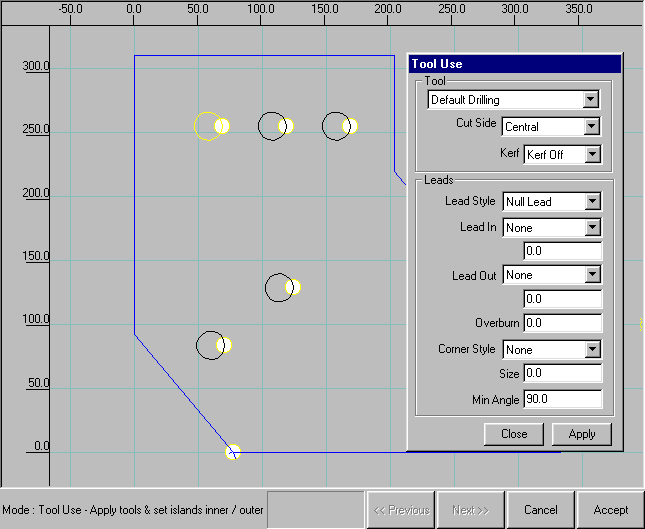
- If a single part has been imported, the part will be taken into Profiler, where it is possible to check the parts for errors, tool use etc.
- If multiple parts have been imported, it is possible to change the material and quantities etc for each part.
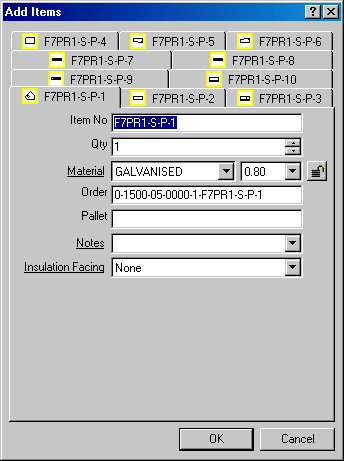
- Each part now has it's own tab. his lets the user configure each part accordingly. When the changes are made, click OK.
- All of the imported items will then appear in the job contents screen. Depending on the parameters set during the setup of the filter some of the parts will be sheared and some machine cut.
The example job below contains over 800 parts weighing three tonnes. The total time to process the parts ready for printing the reports and cutting the parts is less than 5 minutes.
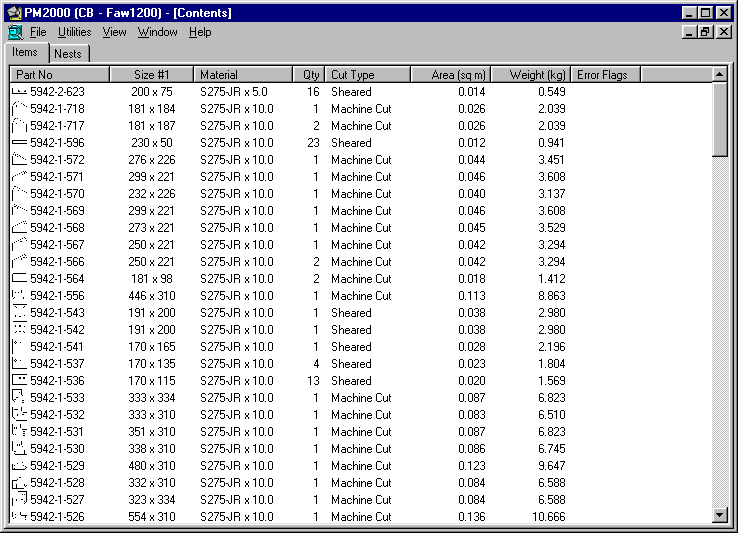
Once the parts have been imported into the Job Contents screen it is possible to edit and nest them in the normal way.