CAMduct, ESTduct and Profilemaster allows several Batch Operations to be defined from Utilities > Process > Setup. Each Process has a Name and can contain automatic operations for:
- Nesting
- Write NC
- Export Data Fields
- Print Reports
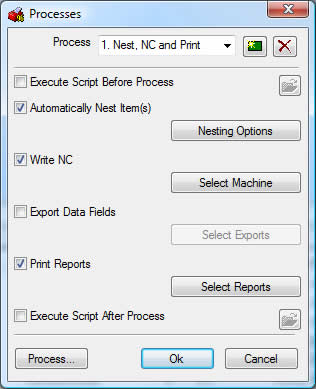
Once the processes have been set up, the User can click on Utilities > Process, then select the required Process Name to execute. Certain processes can be triggered automatically through Trackit and CAMduct operating in a Batch Mode.
Within each process different Nesting Options can be set up, similarly different Export Formats and Printouts can be pre-defined.
Insulation Requests must have the BIR in the Process name as explained in Insulation topic.