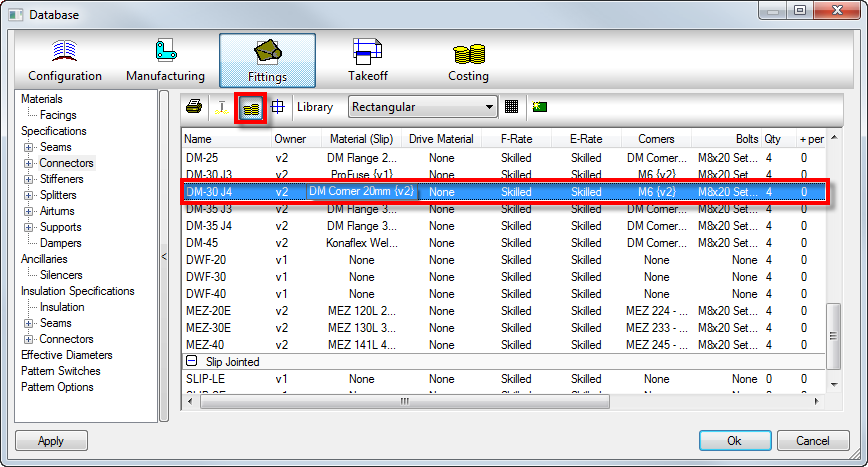
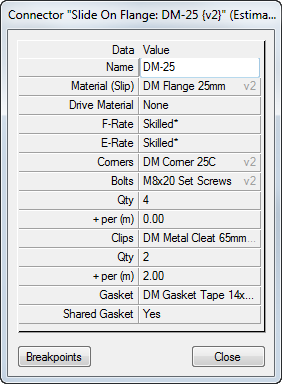
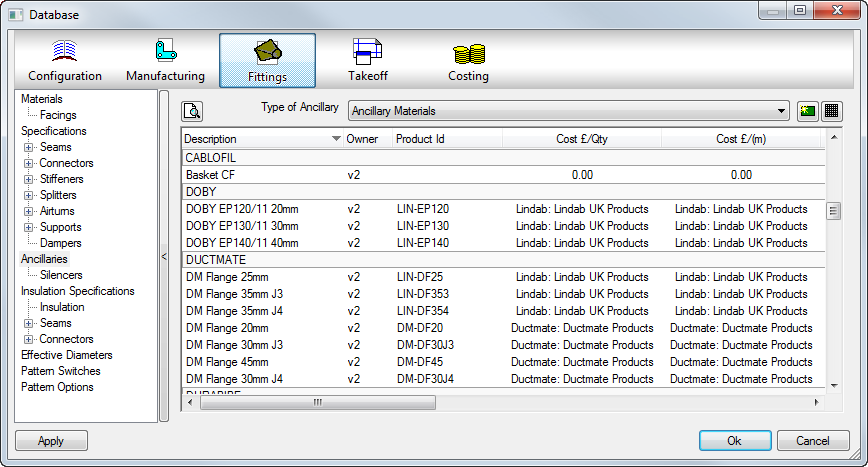
Ancillaries can be created and stored in the database for items to use and quantify automatically at takeoff. The costs and times for ancillary items such as flange materials, channel, corners, bolts, and gaskets etc. are set up in the Ancillary section of the Fittings database. Database  Fittings Ancillaries.
The principle is the same for other costed ancillaries such as air turns and supports. The advantage of using this method is that a price list can be used more than once. This is more convenient when setting up like items e.g. a ductmate connector and a ductmate stiffener. Both of these items can use the same corners, profiles and bolts so the same price/time lists can be assigned to each.
Ancillary Creation
There are pre-requisites for introducing a new ancillary into the database. These are:
- Which Ancillary type best suits the ancillary. As if created in the wrong section, the ancillary may not be available for selection when applying to the component. For example, creation of a Fixing, and then attempting to apply to the Clips section of the Connector database would not be possible. You would need to create the ancillary in the Clips section of the Ancillary database for it to be listed. (Ancillary type).
- Another pre-requisite is to know how the ancillary will be costed, Per Quantity or Per Meter. On creation, values need to be entered in the per meter section if length based ancillary (gasket tapes, flange lengths OR per quantity for single units such as fixings or clips. The alternative to entering a value on the ancillary itself, is to enter a code and then link to a Price List for the cost which then can be controlled from the price list whether a price per meter or per qty.
Use the  icon to create a new table entry ensuring the Type of ancillary has been selected first. Information on each field available for entry is listed below:
Description
A descriptive name for the ancillary. Can be letters or numbers.
Product ID
Allows the user to specify a suppliers product code or catalogue number. To be used for referencing a price from a price list. The price list must contain this code and have a valid price assigned.
Cost £ /(Qty)
A value entered which is the cost of the ancillary (per quantity). If using a price list, this field will be the price list name used that the product code exists inside. (Must have a product code and price in the price list set to "each").
Cost £ /(m)
Weight (kg)/Qty
The weight of each ancillary item, in kilograms.
Weight (kg)/(m)
F Time (mins)/Qty
The time required to manufacture one of the described ancillary items, in minutes.
F Time (mins)/(m)
E Time (mins)/Qty
The time required to install/erect one of the described ancillary items, in minutes.
E Time (mins)/(m)
Once the ancillary has been created, select Apply and OK to add the entries to the database. The Ancillary is now ready to be included into an Ancillary Kit or applied to the individual component i.e. connector, seam, support, stiffener etc.
Accessing the Database and then selecting the costing tab  of the component allows selection of the ancillary.