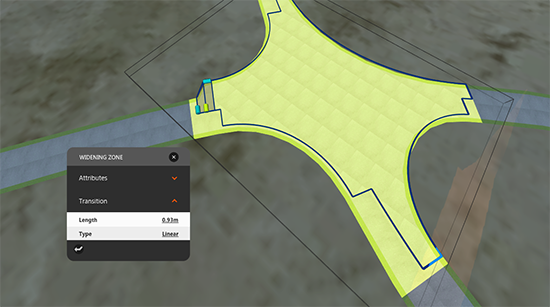
Select a turn lane and drag the Add Widening manipulator to create a Widening Zone. Select a Widening Zone to display its asset card.
Add turn lanes and widening zones to intersections of design roads.
- Click the intersection to select it.
- While the intersection is selected, click the turning zone.
- Drag the Add Widening manipulator.
- Click the widening zone to display the Widening Zone asset card.
- Click and drag the manipulators to make turn lanes or widening zones in the desired size and shape and to adjust the transition start and end positions.
You can also make adjustments on the asset card.