Export data into CSV format, and then further analyze in Microsoft Excel.
Export data into CSV format, and then further analyze in Microsoft Excel.
- After you load log file data into Microsoft Excel, click
 to export the log file data to a .csv file.
 - Open that file in Excel, and use the analysis tools.
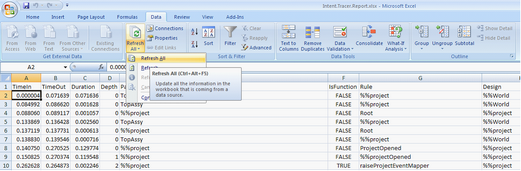
Example: Open the Excel document <install location>\SDK\Tracer\Intent.Tracer.Report.xlsx, and staying in the “Data” worksheet, select “Refresh All”.