|
|
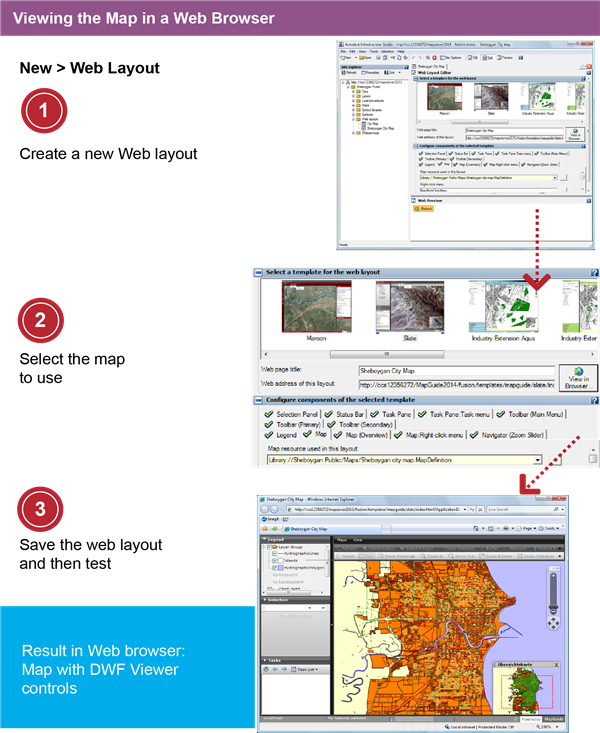
- Right-click the folder Web Layouts and then click
 Flexible Layout. Flexible Layout.
|
|
|
- On the toolbar, click Edit to hide the Preview panel.
- Under Select A Template For The Web Layout, click Slate.
- In the Web Layout Editor, for Web Page Title, enter Sheboygan City Map. For Map Resource Used In This Layout, navigate to the Sheboygan Public/Maps folder and select Sheboygan City Map.
|
|
|
- Click and save the Web layout in the Web Layout folder with the name City Map.
You must save the Web layout before you can test it in the browser.
- In the Web Layout Editor, click View In Browser... on the right edge of the editor.
Your Web browser starts and displays the map in the Flexible Layout viewer.
- Test your map, using the tools provided by the viewer.
You should be able to see tooltips for the parcel layer. You should also see the CENTLINES and buildingsNew layers appear as you zoom in beyond 1-30000, and the treepoints layer at 1-10000.
|