In this exercise, you create a new symbol library. You will use one of the symbols from it in the next exercise.
| Detailed steps | |
|---|---|
 |
|
 |
|
 |
|

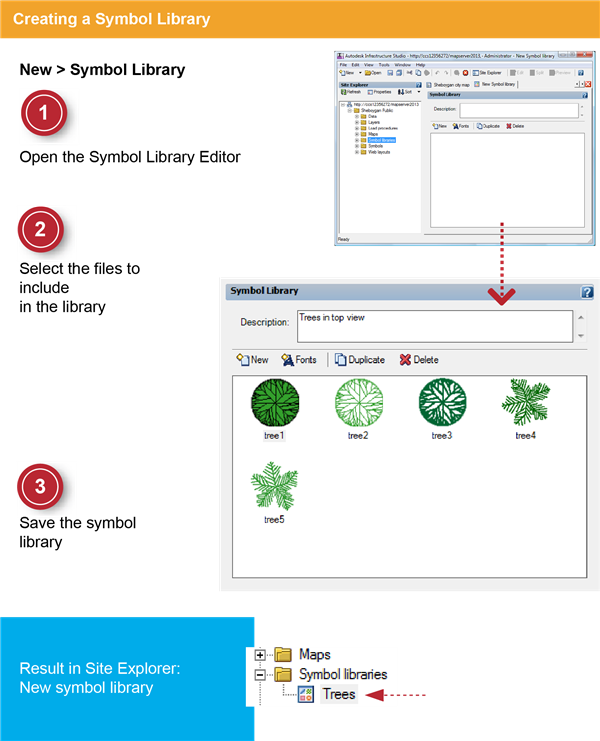
In this exercise, you create a new symbol library. You will use one of the symbols from it in the next exercise.
| Detailed steps | |
|---|---|
|
|
|
|
|
|
|
|
|