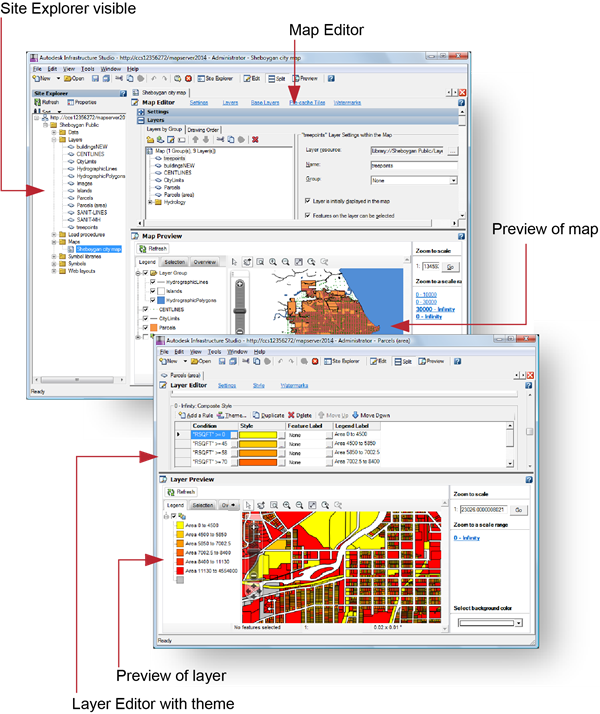
Autodesk Infrastructure Studio is an authoring environment that handles all aspects of collecting and preparing geospatial data for distribution on the Internet (except custom coding). When you use Infrastructure Studio, you will generally follow these steps:
- Create resources from your source data, either by loading file-based data or by connecting directly to external databases.
- Build styled and themed layers from the resources.
- Compile the layers into a map.
- Embed the map in a web page using a web layout.
After you have a web layout, you can customize the appearance and functions of the web application by adding your own programming code. The final step is to publish the completed web application to the Internet or intranet for viewing and interaction.
The Infrastructure Studio interface is divided into three parts:
- The Site Explorer
- The Preview
- The Editor
When you open Infrastructure Studio and connect to your site server (via the WebAgent), the Site Explorer shows you the resources stored in the resource repository, as shown in the upper image. Double-clicking any resource in the Site Explorer opens the appropriate editor for that resource. If the resource is a layer or a map, the viewer also opens and displays a preview of the data.
Two views of Infrastructure Studio