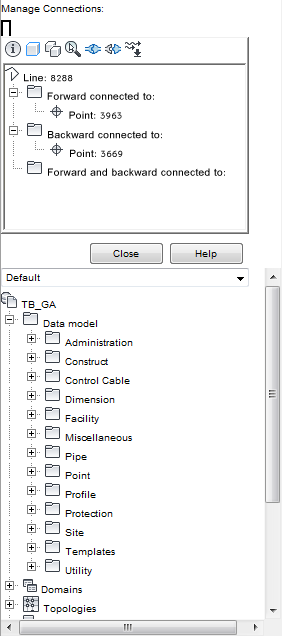
Use Manage Connections to view and edit logical topologies. The Manage Connections area displays the connectivity tree of features that are part of a logical topology.
When you digitize a feature, it is automatically connected to other features that lie within the specified tolerance. To connect features manually, use the Manage Connections area
The Manage Connections area is available if a logical topology is defined.
To view logical connections
- In the Industry Model Explorer, expand a topic node and select a feature.
- On the main toolbar, click
 Manage Connections. Note:
You can also view connections from within a feature class form. Open the form for a feature class that is part of a logical topology. On the form toolbar, click Manage Connections.
The Manage Connections area displays all connections that are defined to and from the selected feature. The root node is the selected feature.
- Do any of the following:
- Connect features. Click
 . In the drawing, select the features to connect to the selected feature.
 - Disconnect features. Select the connected feature in the tree area and click
 .
. - Set or modify the flow direction of the connection. Select the feature and click
 .
.
- Connect features. Click
For more information about configuring logical topologies, see the “Infrastructure Administrator Guide”.