Before you can build maps in Infrastructure Map Server, you must make your source data available. There are three ways to make source data available:
- Load any file-based data, such as DWG, SHP, or SDF, onto the Infrastructure Map Server site. You can also load raster files.
- Connect to SDF, SHP, and raster files not loaded into the Infrastructure Map Server resource repository.
- Configure connections to databases, such as Oracle, ArcSDE, or MySQL.
Load data by converting all, or part of, the source file into a format that Infrastructure Map Server can use, and storing it as a resource. For example, you can load all the layers in a DWG file and create a separate resource for each one.
Connect to SDF, SHP, or raster files without loading them into the Infrastructure Map Server resource repository. The files can be located on the same server as Infrastructure Map Server or on a different server.
Data stored in a database does not need to be loaded. You simply connect to it by configuring a data source for it. In this case, the information necessary to connect to the database is stored as the resource.
If the database is a simple file (Microsoft Access MDB or Microsoft Excel XLS), Infrastructure Studio uploads it when you connect to the server. It is stored on the server as source data for the resource.
Infrastructure Map Server uses Autodesk and OSGeo FDO providers. An FDO provider is an implementation of the FDO (Feature Data Objects) API that provides access to data in a particular DataStore. (For more information about FDO, see the Open Source Geospatial website at http://fdo.osgeo.org/.)
Connections to databases are stored as resources in the resource repository and can be edited just like any other resource.
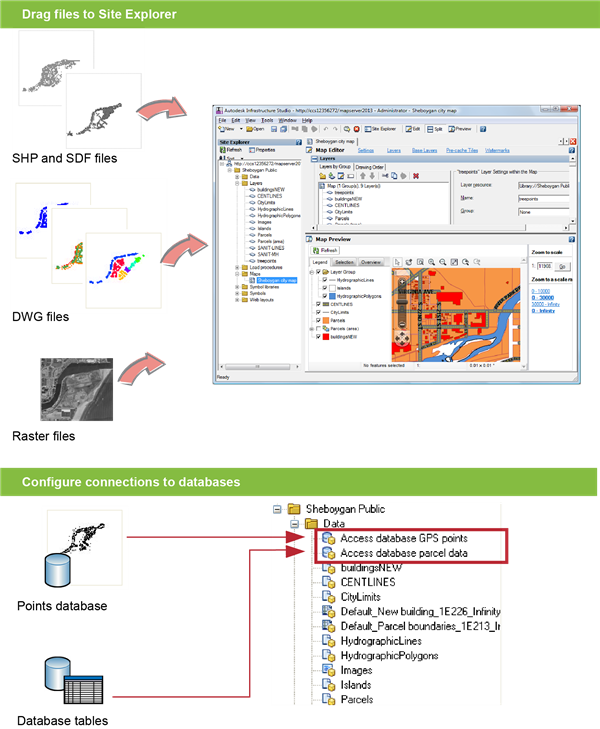
Loading files and configuring connections to databases