|
|
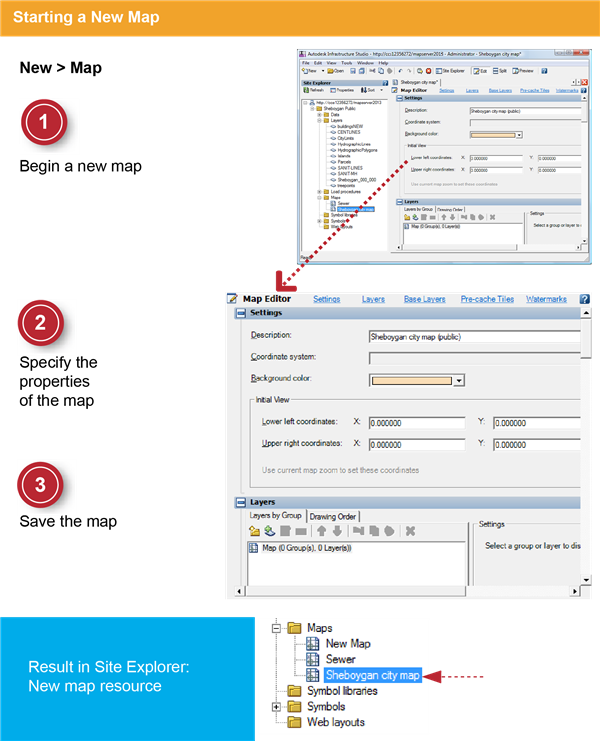
- In the Site Explorer, right-click the Maps folder, and then click
 . . The Map Editor is displayed with the default window split between the Preview panel (below) and Editor panel (above).
- On the Infrastructure Studio toolbar, click Edit (in the row of buttons: Edit, Split, and Preview).
The Map Editor hides the Preview panel and displays only the Editor panel. Hiding the Preview panel makes it easier to view and specify the properties for the map.
|
|
|
- For Description, enter Sheboygan city map (public).
- For Coordinate System, leave blank (the map will use the coordinate system of the first layer that you add to it).
- For Background Color, select a light color or leave as white.
|
|
|
- Click and save the map resource in the Maps folder with the name Sheboygan city map.
|