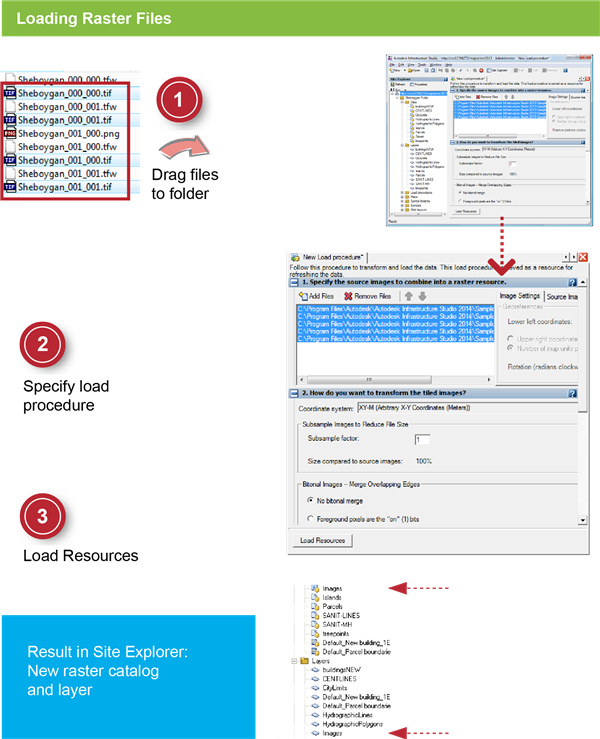
In this exercise, you load four raster images as a raster catalog resource. A raster catalog stores the definition of multiple related images.
| |
Detailed steps |
|---|
|
|
- In Windows Explorer, navigate to the folder: C:\Program Files\Autodesk\Autodesk Infrastructure Studio 2013\Sample Data\Raster.
- Select the four TIF files in the folder. Drag the files to the Sheboygan Public folder in the Site Explorer.
|
|
|
- In the Load Procedure Editor, select the coordinate system SheboyganWI-F (in the Category USA, Wisconsin).
- Under Where Do You Want To Load The Resources? change the Raster Catalog Resource Name to Images.
|
|
|
- Click Load Resources.
Note the new raster catalog and layer resources in the Site Explorer.
- Click
 and save the load procedure resource in the Load Procedures folder with the name Load images. and save the load procedure resource in the Load Procedures folder with the name Load images.
- Close the load procedure editor.
|