|
|
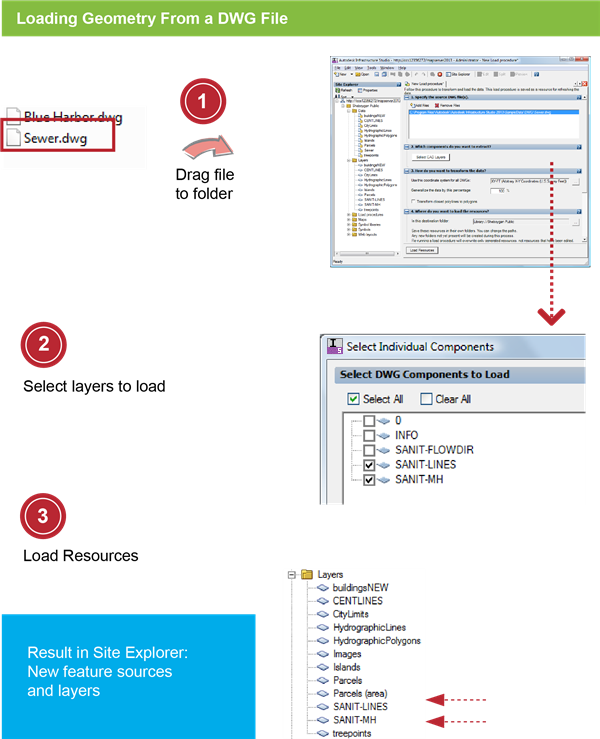
- In Windows Explorer, navigate to the folder: C:\Program Files\Autodesk\Autodesk Infrastructure Studio 2013\Sample Data\DWG.
- Select the Sewer.dwg file. Drag the file to the Sheboygan Public folder in the Site Explorer.
|
|
|
- For Which Components Do You Want To Extract, click Select CAD Layers.
- In the Select Individual Components dialog box, click Clear All.
- Select the layers SANIT-LINES and SANIT-MH. Click OK.
- For How Do You Want To Transform The Data, select the coordinate system WGS84 datum, Latitude-Longitude; Degrees (in the Category Lat Longs).
|
|
|
- Click Load Resources.
- Click
 and save the load procedure resource in the Load Procedures folder with the name Load DWG layers. and save the load procedure resource in the Load Procedures folder with the name Load DWG layers.
- Close the load procedure editor.
- In the Site Explorer, double-click the new layers to view the results of the load.
|