In this exercise, you create the recommended folder structure for a new project in Infrastructure Studio.
| Number | Detailed steps |
|---|---|
 |
|
 |
|
 |
|

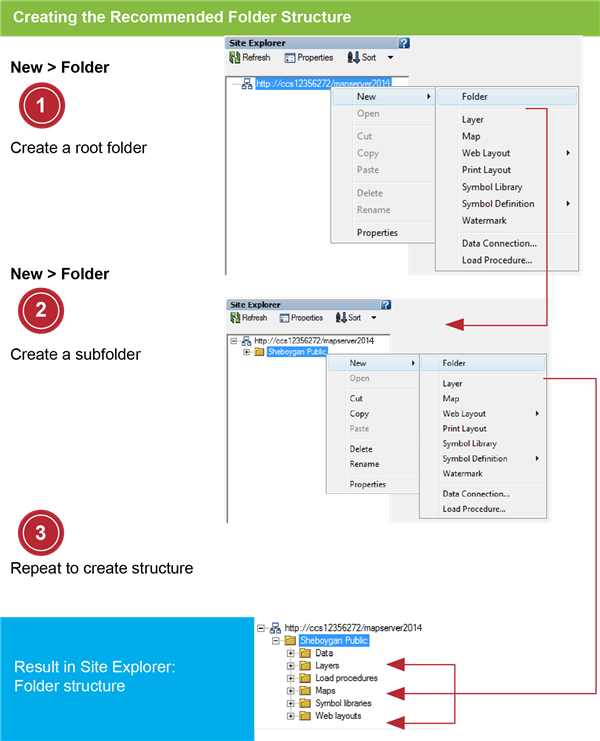
In this exercise, you create the recommended folder structure for a new project in Infrastructure Studio.
| Number | Detailed steps |
|---|---|
|
|
|
|
|
|
|
|
|