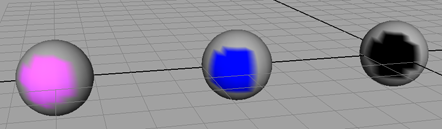
When working with instances of an object, you can assign Color Per Vertex data to instances separately from their source. This allows you to create shared CPV data across all instances based on an existing instance, assign different CPV data to all instances.
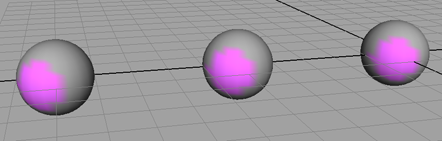
To create shared Color Per Vertex data per instance
- Select one of the instances.
- Select Color > Color Set Editor.
The Color Set Editor appears.
- In the Color Set Editor, click New.
The Create Empty Color Set Options window appears.
- Set Color Set Sharing to Per Instance Shared.
- Click Apply and Close.
- Color vertices on the instance with either Color > Apply Color or Color > Paint Vertex Color Tool.
The painted colors appear on all instances of the object (including the source).
To create unshared Color Per Vertex data per instance
- Select one of the instances.
- Select Color > Color Set Editor.
The Color Set Editor appears.
- In the Color Set Editor, click New.
The Create Empty Color Set Options window appears.
- Set Color Set Sharing to Per Instance Unshared.
- Click Apply and Close.
- Color vertices on the instance with either Color > Apply Color or Color > Paint Vertex Color Tool.
The painted colors appear on all instances of the object (including the source).
- Select another instance of the object you want colored differently and repeat steps 3-6.
Each instance you create a new unshared color set for, is colored differently. If you rename one of these unshared color sets, the corresponding unshared color sets on other instances are renamed accordingly.
Note:It is highly recommended that you rename unshared color sets since they can become very difficult to manage with default names.