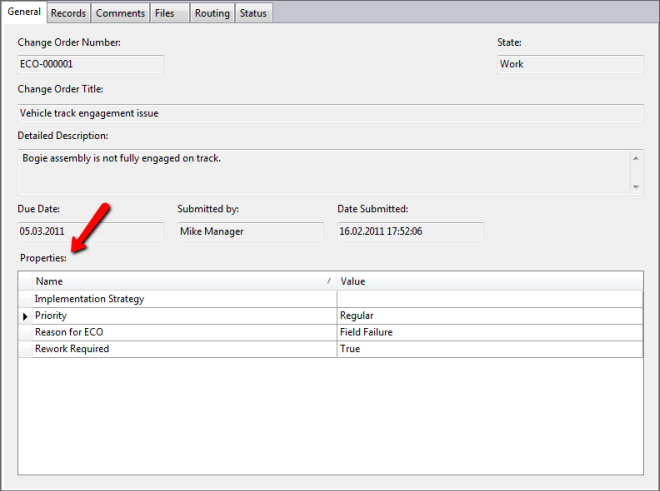
User-defined properties for change orders can be created in the Property Definitions dialog.
These properties belong to the change order itself and not its contents.
- Select Properties from the Behaviors tab of the Vault Settings dialog.
- Create a new UDP and associate it to change orders.
All change orders (new or existing) will have this property associated with it and can be edited as desired. Editing the property can be done from the Edit command of the change order or from the Edit Properties dialog.
For more about editing change order properties, see Working with Properties.
Create Change Order Properties
You can define properties in addition to the default properties (Change Order Number, Change Order Title, and Description, and so on). An administrator must configure additional properties before they can be used.
- Click Tools
 Administration Vault Settings.
 - In the Vault Settings dialog box, click the Behaviors tab.
- Click Properties.
- Click New.
- In the New Property dialog box, enter a name for the new property.
- Select a property type from the Type list.
- Select Change Order from the Associations list.
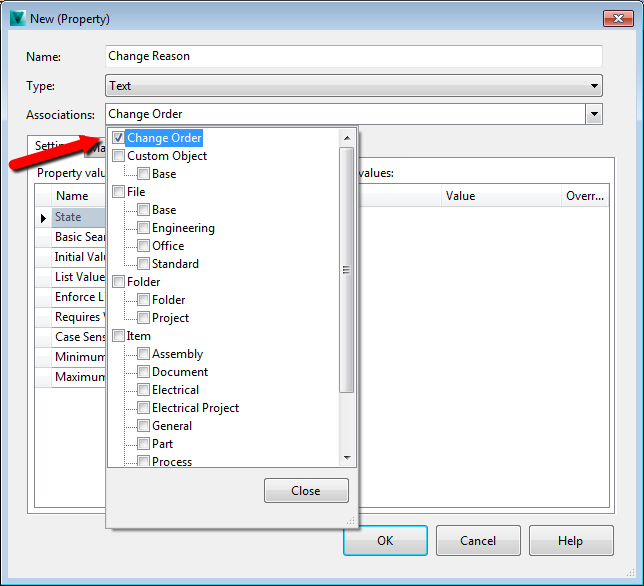
If you want this property to be associated with other entity classes, select them from the Associations list.
- Enter a value in the Initial Value text box.
- If you would like a list of values for the user to choose from, click in the List Values field and create your list.
- Select whether a value is required for this property from the Requires Value drop-down list.
- If the field is case-sensitive, click in the Case Sensitivity field and select the case requirements.
- If there is a minimum or maximum length for the property, enter the values. Note: Change Order user-defined properties cannot be mapped to another property.
- Click OK to create the new property.
- To delete a user-defined property, select a property, and then click Delete. Deleting a Property does not remove it from change orders that have already been created.
- Click OK.
Work with Review Status
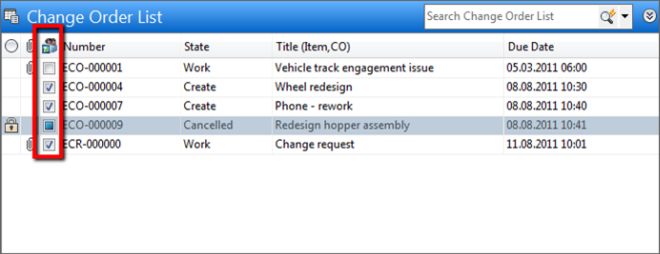
This is a special property that shows the state of items associated with change orders. The state is shown in the main Change Order List pane and has three possible settings:
-
 Checked - Associated items are in Review, Released, or Obsolete states.
 -
 Unchecked - Associated items are in Work in Progress state or there are no associated items.
 -
 Undetermined - Change order closed or cancelled