Once the template name and type are specified, you define views included in a given template. The Add viewport dialog is available after right-clicking the Add view option on the Templates tab in the Object inspector dialog.
The following dialog displays:
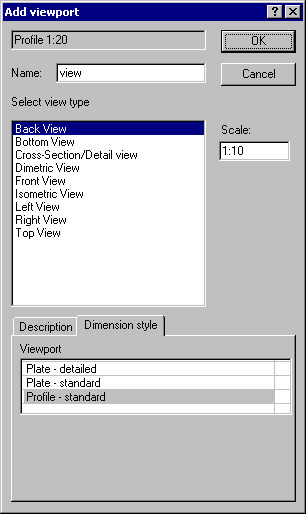
To place a single view:
- Name of a created view (a name of the currently-applied template is specified)
- Select a view (projection) of a structure element
- Specify the scale for a selected view.
After clicking OK within the template layout, the placement of a view in a template (not yet in a final drawing) should be indicated.
Repeat these steps to place successive views in a template.