Once the Sorting and detailed options tab is selected in the Definition/modification of reinforcement table style dialog, the following dialog displays:
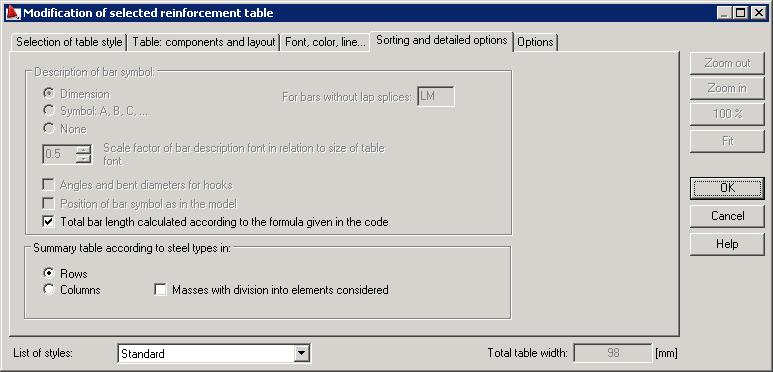
In the top part of the dialog, the description of bar symbol is chosen; there are three possibilities of bar symbol description: by specifying a dimension, by presenting symbol of a bar or without any description. You can select a scale factor which determines the ratio of the size of bar description font to the size of font in the table. These options are available for the following table types: MAIN and DETAILED.
The For bars without lap splices field specifies a length designation in a bar symbol in the table; 'LM' bars are bars presented in running meters as a total sum of all segments formed as a result of distribution (it refers only to bars in surface distributions) - see Reinforcement lap.
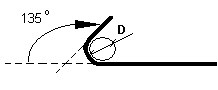
If the Angles and bent diameters for hooks option is selected, then the table will include information concerning hooks at bar ends: a hook angle and a diameter of hook bending (see the drawing below).
If the Position of bar symbol as in the model option is selected, the bar symbol will be drawn according to its position in the model.
If the Total bar length calculated according to the formula given in the code option is selected, the total bar length for each bar shape will be calculated using formulas from national standards (assuming that such formulas are defined in these standards).
The option Summary table according to steel types in: rows or columns, is accessible only for the SUMMARY table. In the SUMMARY table, it is possible to add a row with bar masses (with division into individual elements).