階段の注釈
StairsPath クラスを使用して、階段の勾配方向と歩行線に注釈を付けられます。静的な StairsPath.Create()メソッドは、階段が表示されている必要がある特定の平面図ビューで、指定した階段パス タイプを持つ指定した階段に新しい階段パスを作成します。
StairsPath クラスには、Up 記号と Down 記号の文字を設定するプロパティやテキストをすべて表示するかどうかを設定するプロパティなど、Revit UI で階段パスを編集する場合に[プロパティ]ウィンドウで使用可能な同じプロパティがあります。また Up 記号と Down 記号の文字のオフセットを階段の中心線からの階段パスのオフセットとして指定できます。
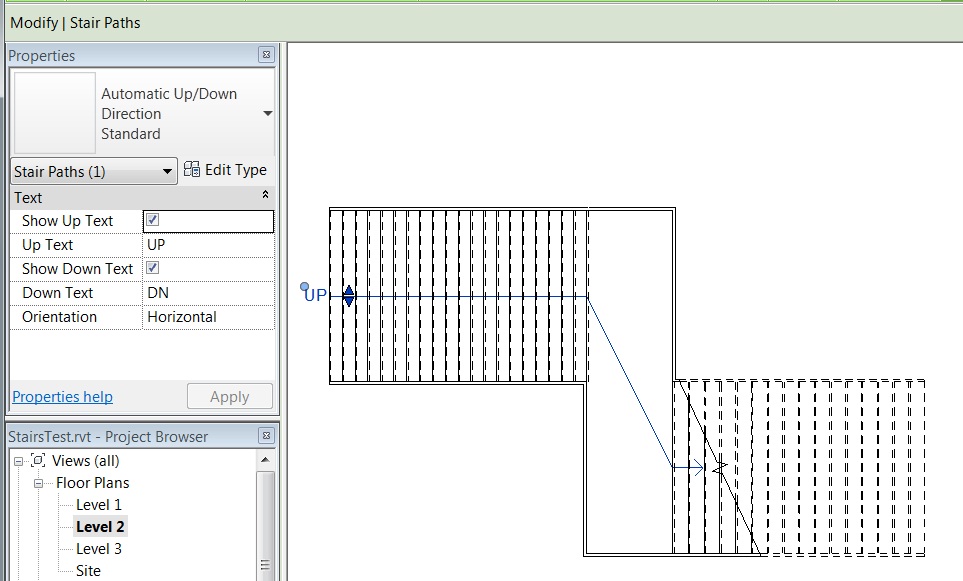
次の例では、プロジェクトの StairsPathType と FloorPlan 平面図を検索して、これらを使用して指定した階段の新しい StairsPath を作成します。
|
コード領域: StairsPath を作成 |
private void CreateStairsPath(Document document, Stairs stairs)
{
    Transaction transNewPath = new Transaction(document, "New Stairs Path");
    transNewPath.Start();

    // Find StairsPathType
    FilteredElementCollector collector = new FilteredElementCollector(document);
    ICollection<ElementId> stairsPathIds = collector.OfClass(typeof(StairsPathType)).ToElementIdsElementId();

    // Find a FloorPlan
    ElementId planViewId = ElementId.InvalidElementId;
    FilteredElementCollector viewCollector = new FilteredElementCollector(document);
    ICollection<ElementId> viewIds = viewCollector.OfClass(typeof(View)).ToElementIdsElementId();
    foreach (ElementId viewId in viewIds)
    {
        View view = document.GetElement(viewId) as View;
        if (view.ViewType == ViewType.FloorPlan)
        {
            planViewId = view.Id;
            break;
        }
    }

    LinkElementId stairsLinkId = new LinkElementId(stairs.Id);
    StairsPath.Create(stairs.Document, stairsLinkId, stairsPathIds.First(), planViewId);
    transNewPath.Commit();
}
|
StairsPath は StairsPathType を持っています。階段パス タイプは、[自動上/下方向]および[固定された上方向]の 2 つの定義済みシステム ファミリから使用できます。これら 2 つのタイプに使用可能なプロパティは、FullStepArrow および DistanceToCutMark などの StairsPathType クラスのプロパティとして使用できます。
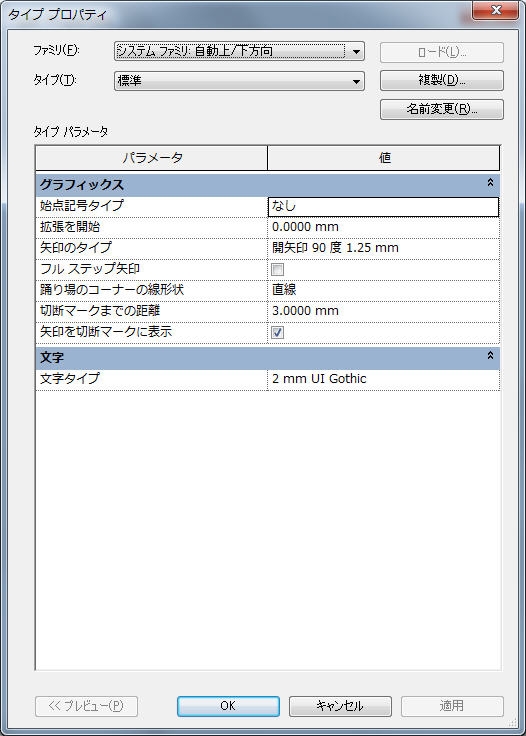
CutMarkType クラスは、Revit UI で切断マークのタイプを表し、これには CutLineAngle や CutLineExtension などの UI で切断マークのタイプを編集する場合に、使用可能な同じプロパティを表すプロパティがあります。これは StairsType オブジェクトに関連付けられ、下に示すように、BuiltInParameter STAIRSTYPE_CUTMARK_TYPE を使用して取得できます。
|
コード領域: 階段の CutMarkType を取得 |
private CutMarkType GetCutMark(Stairs stairs)
{
    CutMarkType cutMarkType = null;
    StairsType stairsType = stairs.Document.GetElement(stairs.GetTypeId()) as StairsType;
    Parameter paramCutMark = stairsType.get_Parameter(BuiltInParameter.STAIRSTYPE_CUTMARK_TYPE);
    if (paramCutMark.StorageType == StorageType.ElementId)  // should be an element id
    {
        ElementId cutMarkId = paramCutMark.AsElementId();
        cutMarkType = stairs.Document.GetElement(cutMarkId) as CutMarkType;
    }

    return cutMarkType;
}
|