Viewing contour plots of specific state variables is the best way to evaluate the structural performance of the radiator tank. In particular, we'll examine SVAR9, the matrix tangent elastic modulus.
- After the job has completed, return to the ANSYS Mechanical environment and select Solution from the model tree.
- Click and locate the radiatortank_output.rst file.
- Click and enter SVAR9 in the Expression box. SVAR9 represents the tangent elastic modulus of the matrix constituent.
- Set the Display Time to
0.01 seconds.
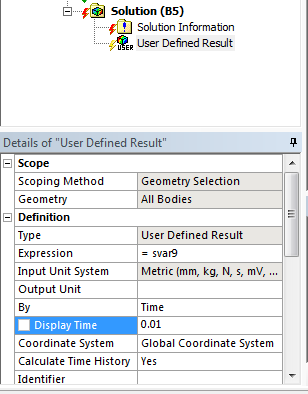
- Right-click User Defined Result in the model tree and select Evaluate All Results.
- Switch to the Graph tab and change the deformation scale to 0.0 (Undeformed).
- Click the play button on the Graph tab and monitor SVAR9 as the pressure is applied to the part. SVAR9 will give us an indication of any softening of the material.
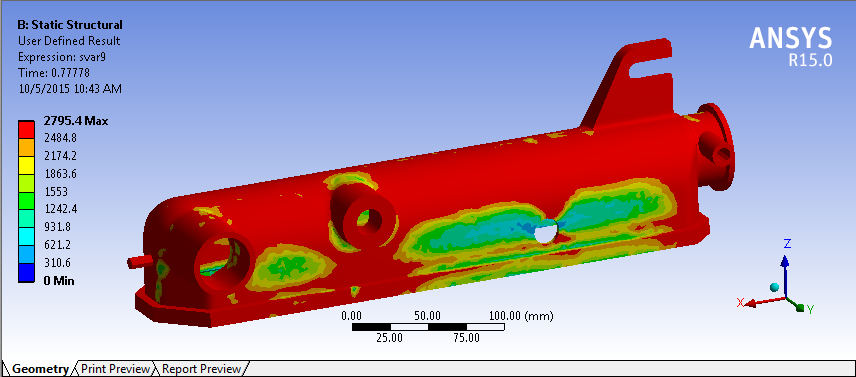
We see a large degree of material softening near the hole on the side of the tank. It is likely that failure will initiate near the edges of the hole if we continue to pressurize the tank.