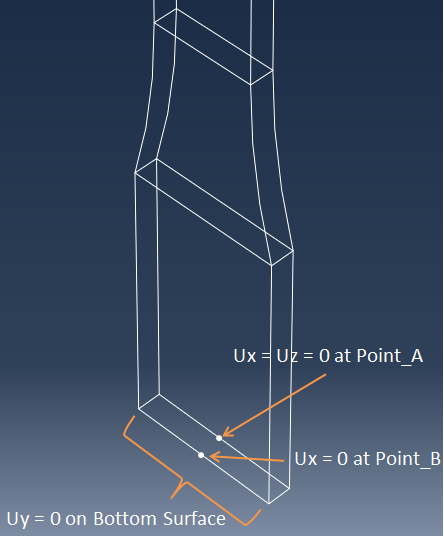
Create boundary conditions that minimally constrain the bottom of the coupon and prevent rigid body movement.
- Select .
- From the Graphics Window, select all the nodes on the bottom surface of the coupon and click OK. Hint: Use the Box select option.
- In the dialog box that appears, enter a Displacement of 0 for UY and click Apply.
- Select "Point_A" and set UX and UZ to 0. Click Apply.
- Select "Point_B" and set UX to 0. Click OK.