We are now ready to export the results to our finite element analysis program where we can analyze our model.
- Click .
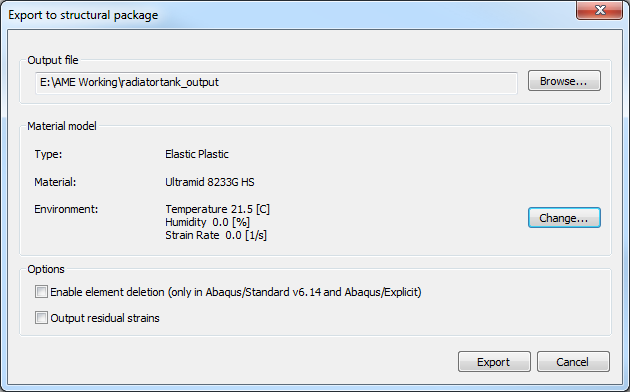
- Click Browse and select the directory where you would like to save the files. Name the file radiatortank_output and click Save.
- Select the 21.5 [C] temperature environment. Disable the element deletion check box and click
Export.
- Navigate to the directory where the file was written. You will see two files, radiatortank_output.inp and radiatortank_output.sif. The .inp file is the structural input file that contains the part geometry, mesh, loads, and Ramberg-Osgood parameters. The .sif file (structural interface file) contains the mapped fiber orientations.
Now we are ready to run our analysis.
- Open a command prompt and navigate to the directory containing the .inp and .sif files (use the Command Shell desktop shortcut to easily open a command prompt).
- Enter the following command to submit the model for analysis (in this case with Abaqus 6.14-1):
>>abq6141 job=radiatortank_output
Note: The .inp and .sif files must have the same name.
Refer to the Exporting section of the User's Guide for details on setting up the environment file to point to the material model.