New Features and Enhancements
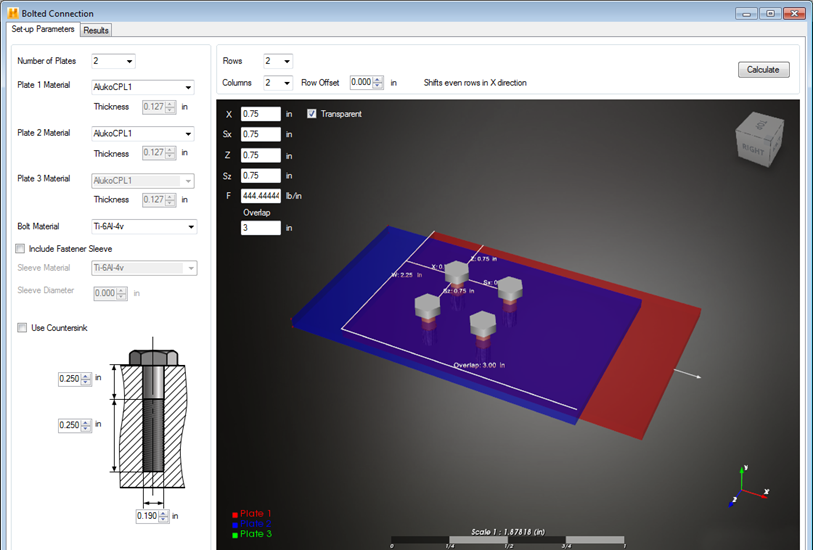
- Bolted Connections - Quickly analyze your composite laminate joints with the Bolted Connection module. The Bolted Connection tool analyzes the joint geometry, estimates the load-sharing between bolts in the joint, and identifies the critical bolt that drives failure.
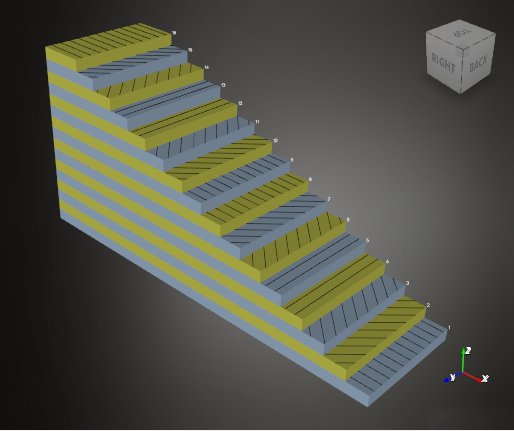
- Visualize Ply Stacking - Use the new ply stacking visualizations to verify your laminate contains the correct lamina thicknesses and orientations.
- Plate Analysis Visualization - Use the new dynamic load and boundary condition visualization in the Plate Analysis module to see how your plate is constrained and loaded. When you change the load and boundary condition, the visualization will update automatically. As you change the location of a concentrated load, the display will update so you can verify the setup before analyzing the structure. In addition, the dimensions of the plate will update dynamically as you modify the length and width of the plate.
- Metal Materials - Metal materials can now be stored in the Material Data Tree and created from the New Item menu. The metal materials are used to define the bolts in the Bolted Connection module.
Supported Platforms
Windows 7, and 8.