The options on this tab allow you to set priorities at prefix modification.
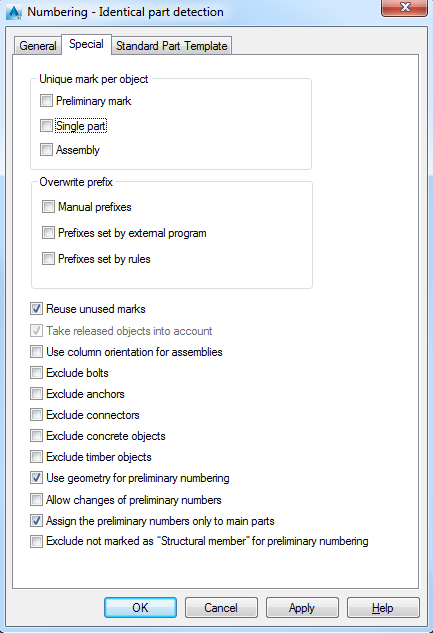
Unique mark per object
Single part
Each single part gets an unique number.
Assembly
Each assembly gets an unique number.
Overwrite prefix
Optionally, some of the prefixes can be overwritten. Select the set of prefixes to override automatically by the numbering process:
Manual prefixes
Overwrites the prefixes set in the properties dialog box.
Prefixes set by external program
Overwrites the prefixes set by another application (e.g., Lisp).
Prefixes set by rules
Overwrites the prefixes set by a rule.
Reuse unused marks
The marks which were used in the past are never reused again
Take released objects into account
The released objects are taken into account at numbering.
Use column orientation for assemblies
The columns with different orientation get different assembly marks.
Exclude bolts
The bolts are not taken into account at numbering.
Exclude anchors
The anchors are not taken into account at numbering.
Exclude connectors
The connectors are not taken into account at numbering.